Getting started
Welcome! This guide walks you through the four steps that take you from a blank account to a printed ingredient label. You can always come back here from Help in the sidebar.
The Getting Started checklist on your Dashboard tracks these same four steps and ticks each one off automatically as you complete it — you don't need to mark anything done yourself.
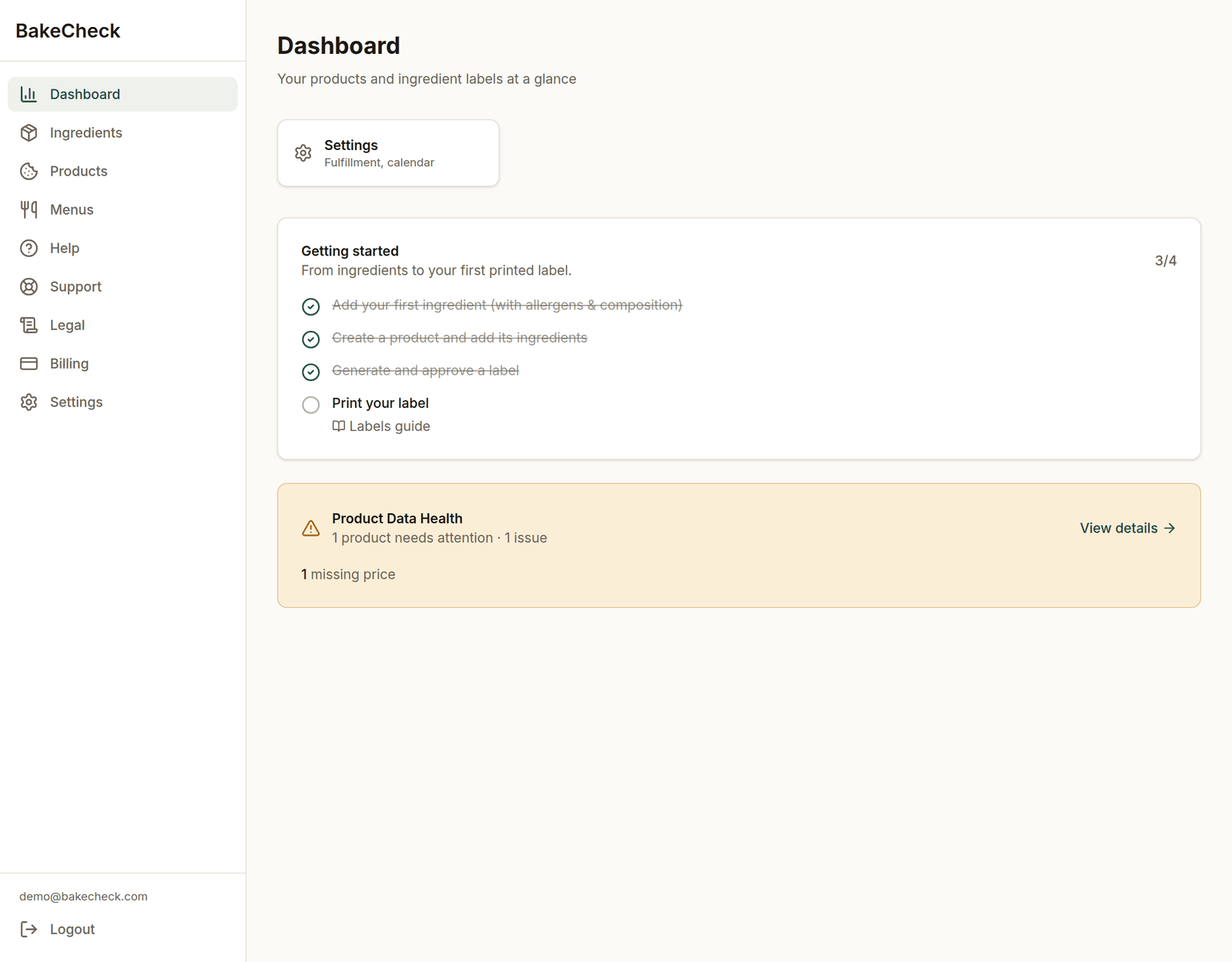
The Dashboard. The checklist ticks itself off as you go.
The four steps
Add your ingredients. Enter each raw ingredient once, with its allergens and composition. A product cannot be labelled until every ingredient in it has both, so it's worth doing carefully the first time. → Ingredients guide
Create your products. A product is a recipe: give it a name and add the ingredients it's made from, with quantities. Set a yield and a selling price so costs and margins are calculated for you. → Products guide
Generate & approve a label. From a product, generate a label. We build a draft ingredient declaration in the UK format, run an automatic allergen check, and ask you to review and approve it. → Labels guide
Print your label. Once approved, print, copy, or download the label as a high-resolution image — or tick several products on the Products page and download all their labels as one zip. → Labels guide
What BakeCheck does and doesn't decide
BakeCheck writes the draft and runs the allergen check. It does not tell you that a label is legally compliant — that judgement is yours, which is why every label goes through a review-and-approve step with your name on it. The draft is a starting point built from your data, and it is only as good as the data you entered.
What "done" looks like
When all four steps are complete, at least one of your products has an approved, current label ready to print. The checklist on your Dashboard will show 4 of 4 and collapse to a short confirmation.
After your first label
When you signed up we asked whether you already have a website, and the checklist follows your answer. You can change it any time under Settings → Business.
- No, I sell without one: after your first label, the checklist carries on to your shop page. Add how customers can order from you, put your products on it, publish it, and share the link: in your Instagram bio, on your stall, on your packaging.
- Yes, I have a website: the checklist stops at printing your label. There's one optional extra: your shop page's menu lists your products with the allergens from your approved labels, so you can link to it from your own website as your allergen information, with no page to keep up to date by hand.
- Not yet, I'm just starting out: labels first. Once your first label is approved, your Dashboard asks if you're ready to start selling; say yes and the checklist switches to setting up your shop page.
If you get stuck at any step, the most common cause is missing ingredient data — see the Ingredients guide or troubleshooting.
The rest of the guides
- Allergens — the 14 allergens, how detection works, and how allergens carry through sub-recipes.
- Your plan, archiving, and deleting — what counts towards your limits and how to free up space.
- Troubleshooting — the things people hit most often.